
Golf Hits Counter does exactly what the name says: it helps you manually count every stroke on the golf course, hole by hole.
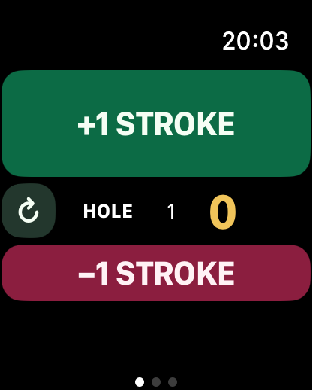
The app is built for quick use while you are playing. On Apple Watch you can keep the phone in your pocket, or even leave it at home, and count strokes directly from your wrist. Tap +1 Stroke for each hit and -1 Stroke whenever you need to correct the current hole.
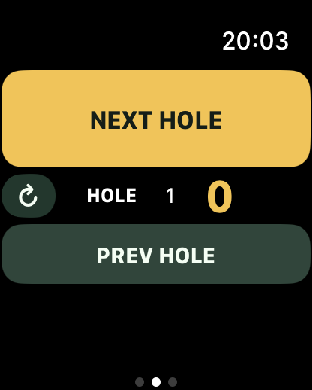
When a hole is finished, move forward with Next Hole or go back with Previous Hole to review and correct a previous score. The app keeps the interface deliberately large, dark and readable so it can be used outside on the course without fiddling.
There is no registration, no advertising, no sharing and no in-app purchase. It is just a simple counter that works right away, out of the box.
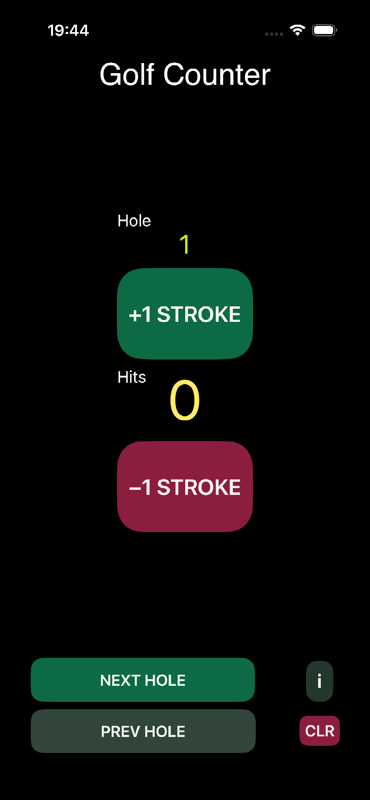
As soon as a button is pressed, the current data is saved so it can be restored if the app is closed or the watch is restarted. When Apple Watch and iPhone are paired correctly, the score is synchronised between devices and reflected on the other screen.
On iPhone, swipe to the scoring screen and use the export button in the top-right corner when you want to export the round data.
New app screens
Designed for fast taps on the course.
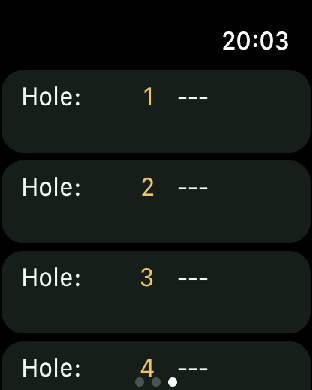
The new interface uses oversized controls, strong contrast and a simple three-screen flow: count strokes, move between holes, and review the scorecard.

Privacy policy and support
Read the policy for Golf Hits Counter, including the no personal data collection statement and support information.
Open Golf Hits Counter policy